
Made for households
Plan your meals and grocery list in one place.
Save the recipes your household loves, choose how many dinners you need, and let Second Helping help plan the week. Once you're happy with your meals, it builds one organized grocery list for you.
Free to use. No ads.
Planning dinner takes more time than it should.
Most households already have plenty of recipes they like. The difficult part is deciding what to make this week, agreeing on the meals, and figuring out everything you need to buy.
Second Helping keeps those steps together. Your saved recipes become your weekly meal plan, and your meal plan becomes your grocery list.
- 1Save recipes you love
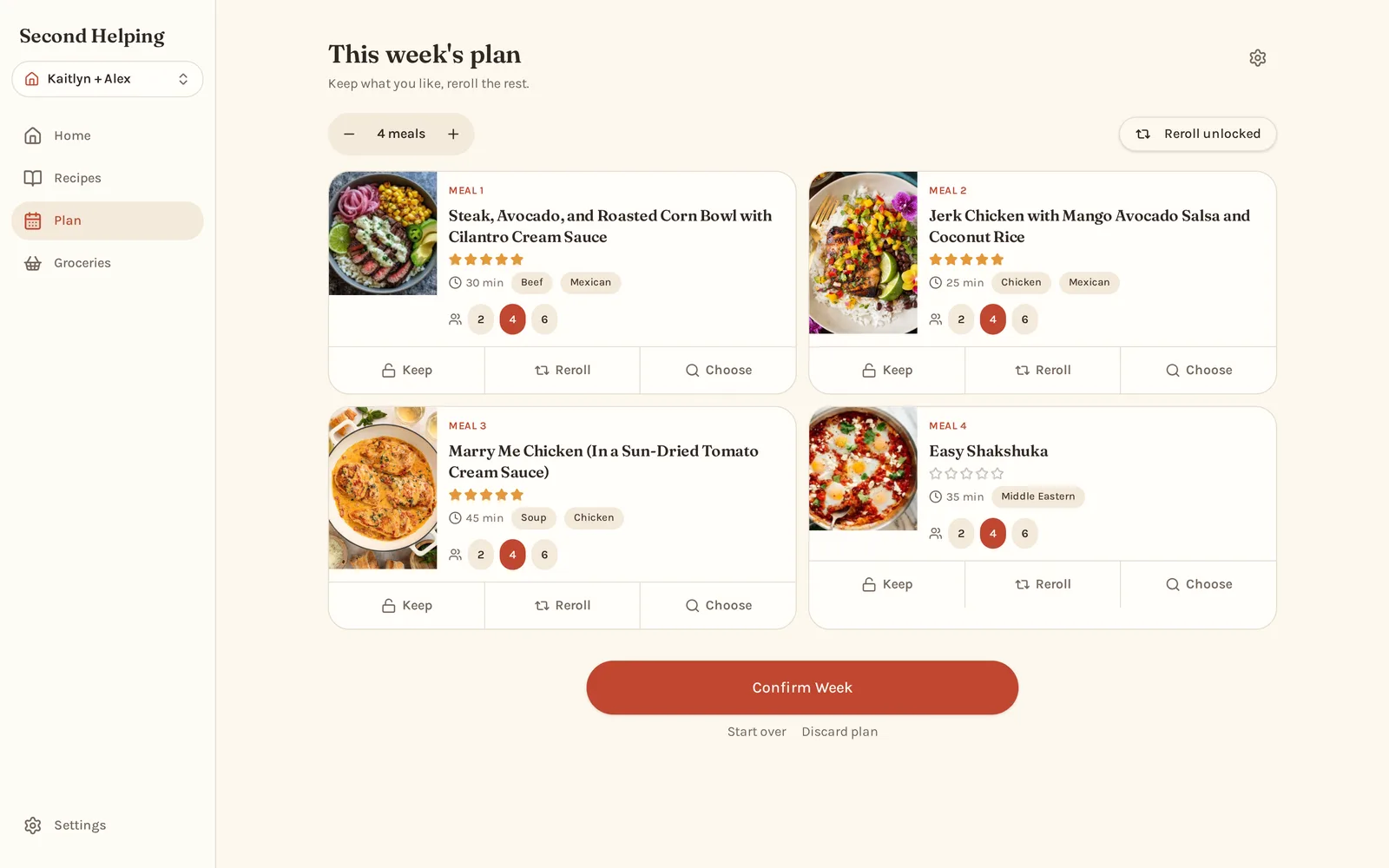
- 2Choose how many meals you need
- 3Keep the meals you like and swap the rest
- 4Get one organized grocery list
Plan your week in a few simple steps.
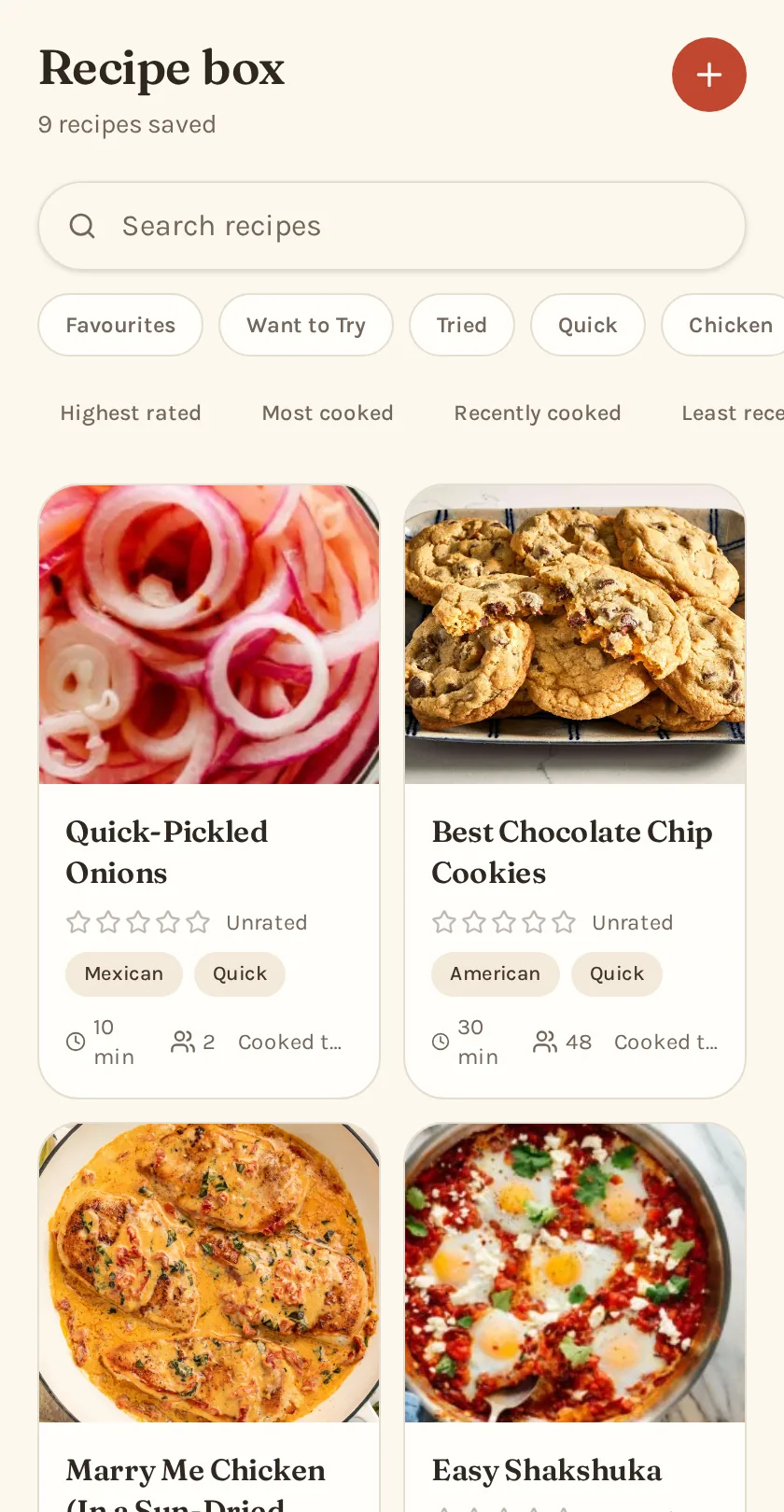
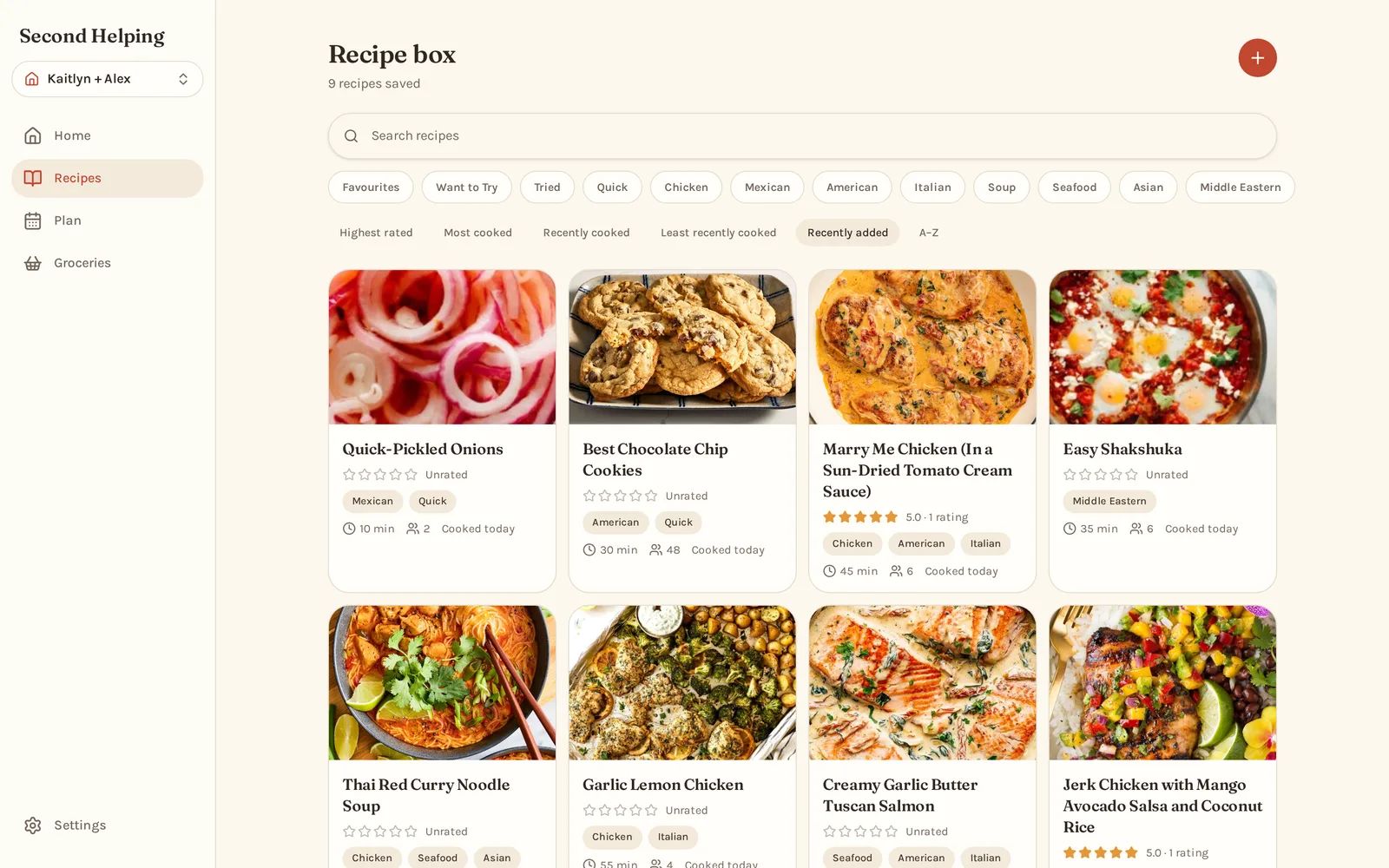
Save your recipes
Paste a recipe link and Second Helping will pull in the recipe, ingredients and photo for you to review. You can also add your own recipes or import an existing collection.
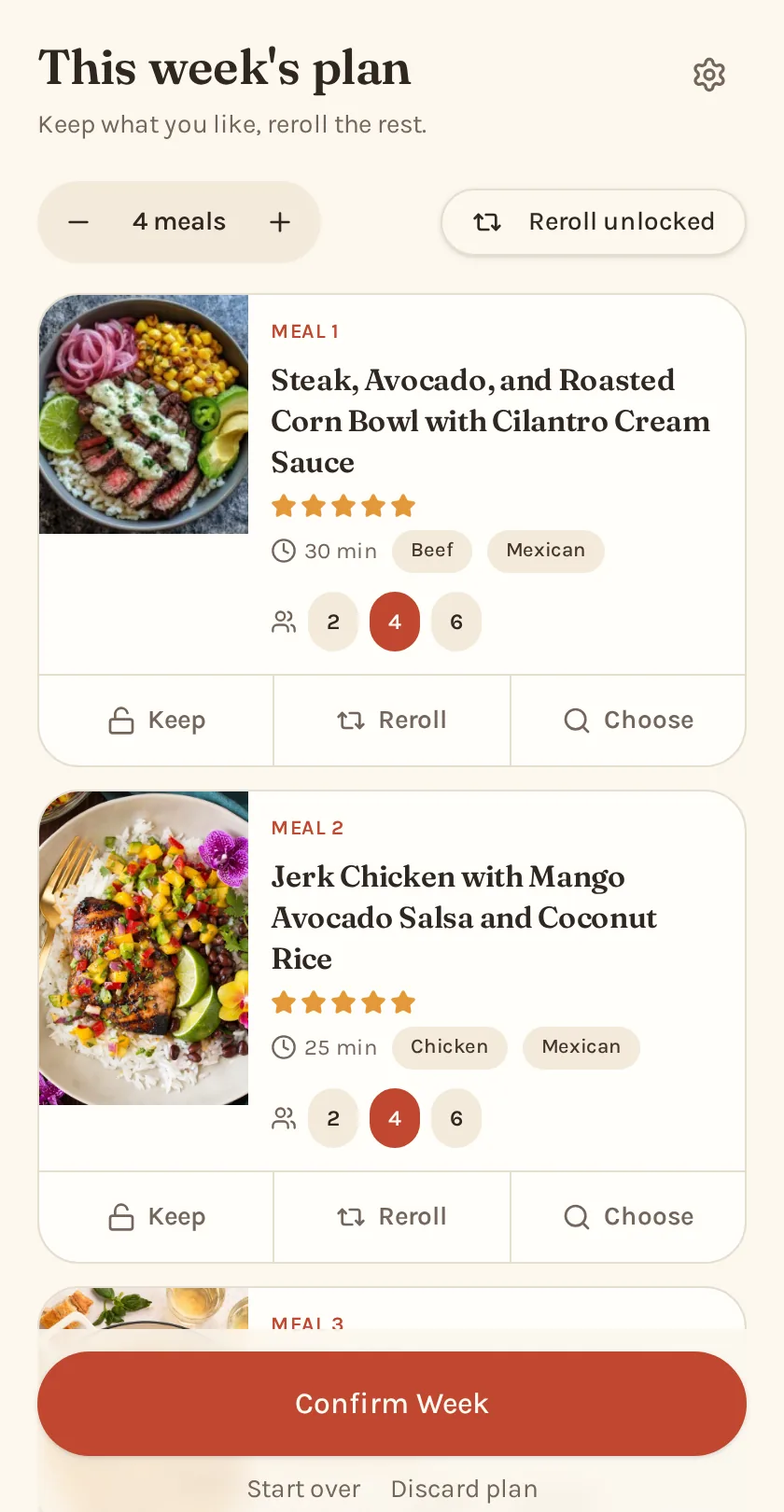
Plan your week
Choose how many dinners you need and Second Helping will suggest recipes from your collection. Keep the meals you want and swap any that don't sound good that week.
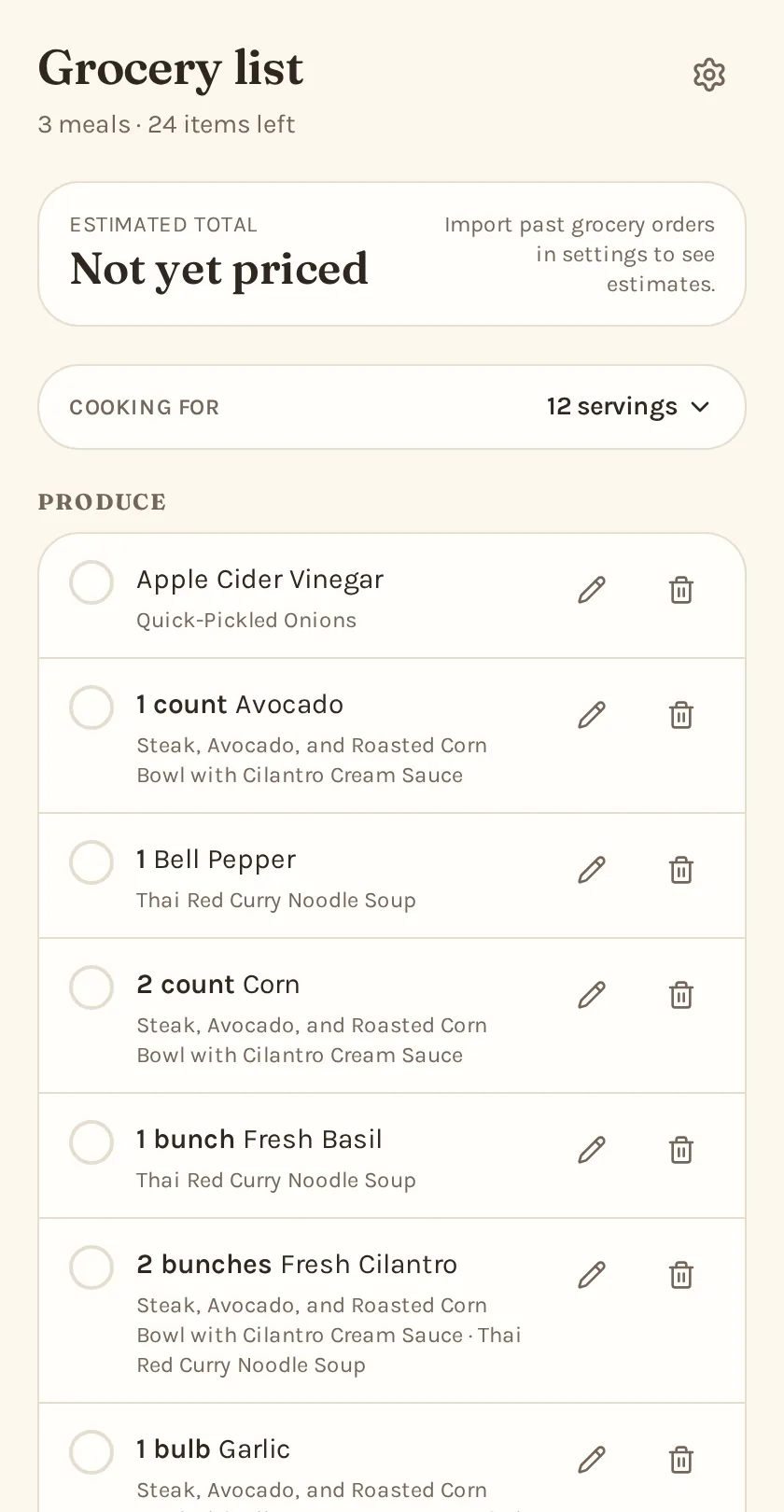
Build your grocery list
Once your meals are set, Second Helping combines the ingredients and organizes them into one grocery list.
Better suggestions from the recipes you already know.
Second Helping uses your household's ratings, favourites and recent meals to choose better suggestions. It can bring old favourites back into rotation, avoid meals you've just made, and look for useful overlap between fresh ingredients.
You always have the final say. Keep the meals you like, swap the ones you don't, or choose something manually.
Ratings matter
Meals your household enjoys are more likely to come back.
Avoid repeats
Recipes you've made recently are less likely to show up again right away.
Bring back favourites
Meals you loved can return when you haven't made them in a while.
Try something new
Mix recipes from your Want to Try list into your usual favourites.
Turn a Pinterest board into a recipe box.
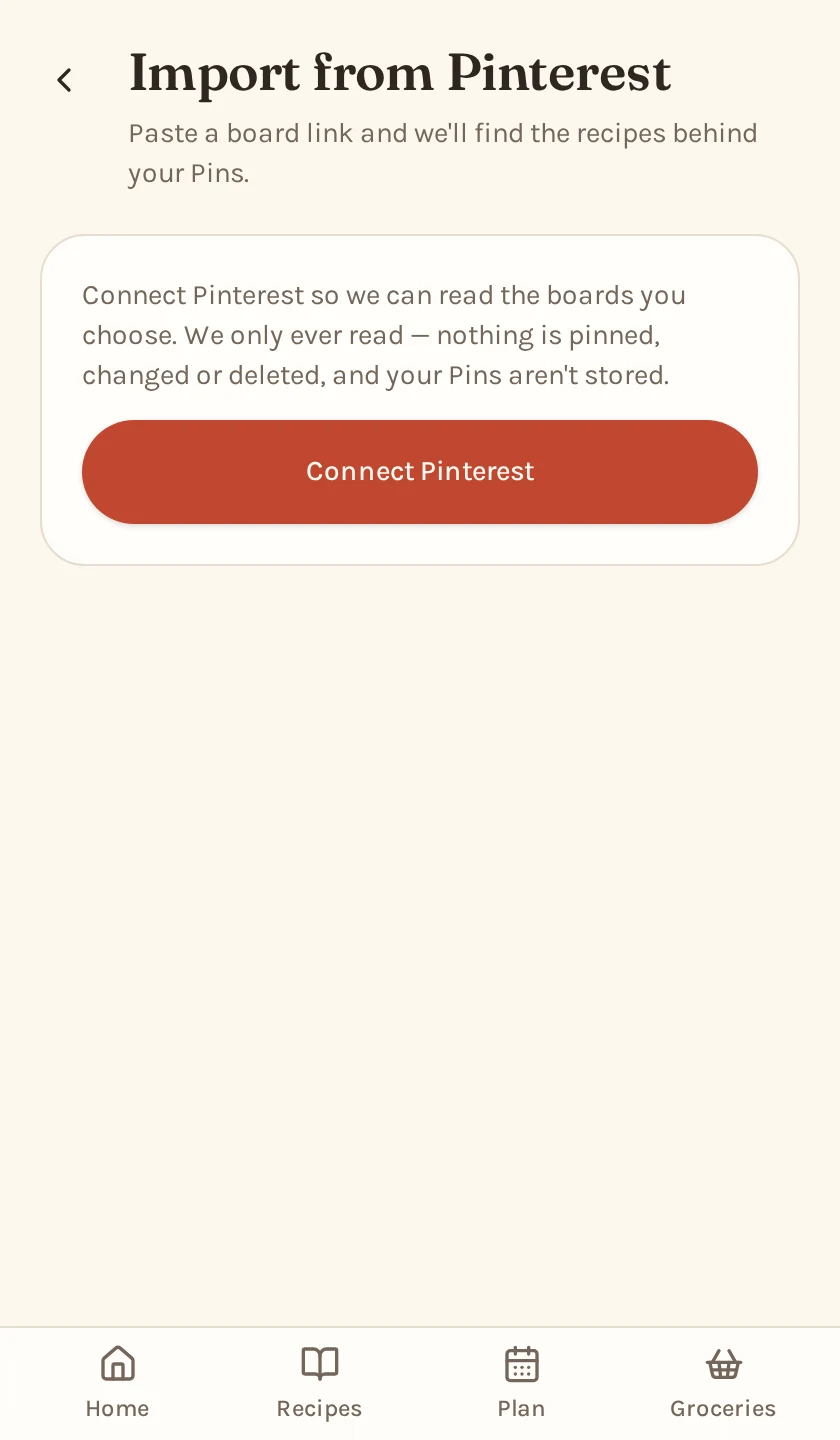
Paste a Pinterest board link and Second Helping will find the recipes for you. It follows each Pin back to the original recipe website, skips the things that aren't recipes, and brings the recipes you want into your household.
Paste the board
Use the same board link you would normally share with someone.
We sort through it
Second Helping finds the recipe links and ignores Pins that aren't recipes.
Bring the recipes home
Review what was found and import the recipes into your household.
Second Helping imports from the original recipe websites. Pinterest is only used to help find them.
Works wherever you plan and shop.
Use Second Helping on your phone, tablet or computer. Everything stays connected to the same household.
Get one grocery list for the whole week.
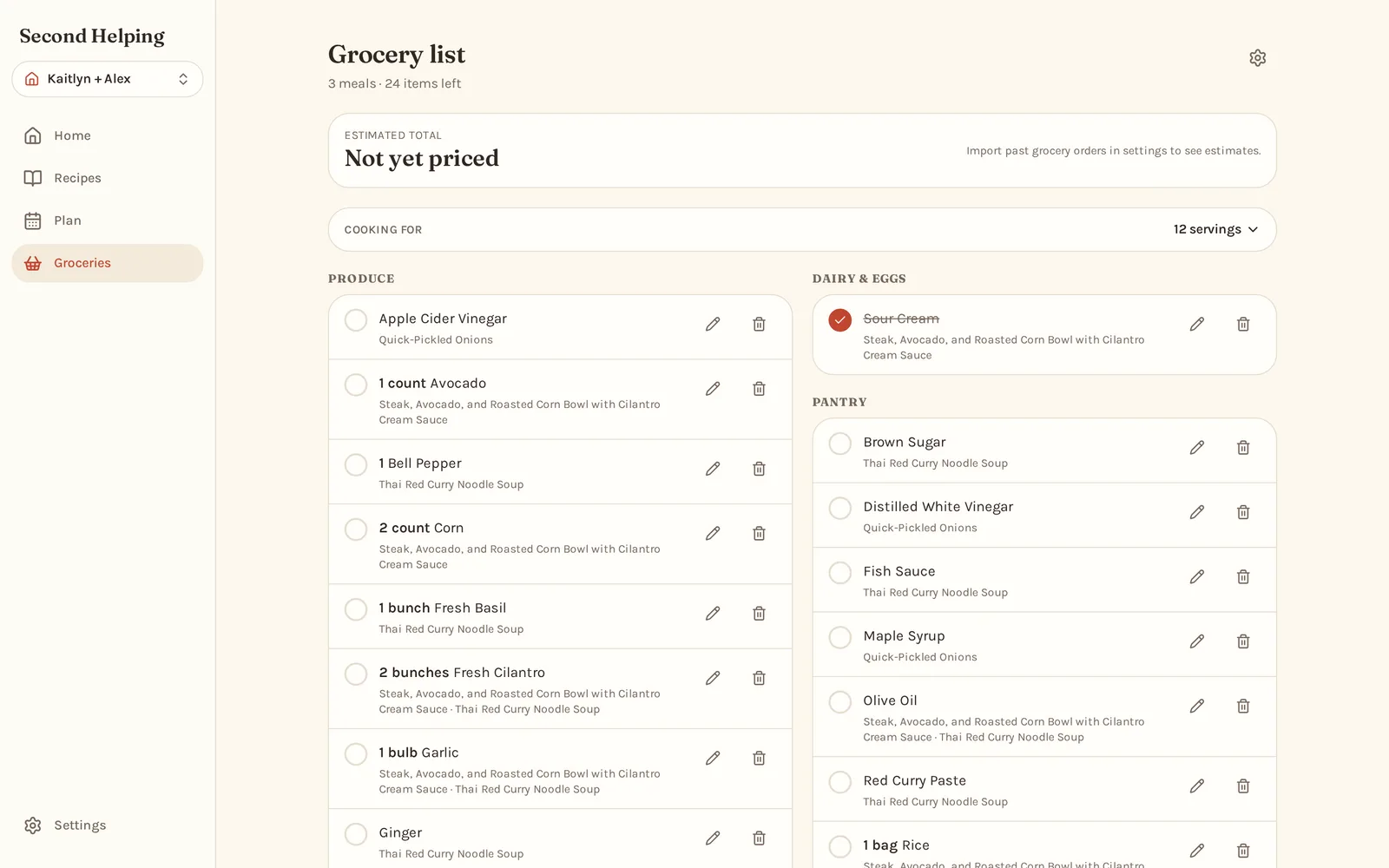
Second Helping combines ingredients from every meal in your plan, scales the quantities and sorts everything into useful grocery categories.
It also cleans up recipe measurements so the list is written more like something you would actually shop from. Check things off as you shop or copy the whole list to use somewhere else.
Canadian households can also try our Voilà cart integration, currently in beta.
Produce
- 2 Limes
- 2 Avocados
- Fresh Cilantro
- 1 Red Onion
Meat & Seafood
- 1.5 lb Chicken Thighs
Dairy
- Sour Cream
Pantry
- Ground Cumin
- Soy Sauce
Share recipes and meal plans with your household.
Invite your partner or family members to the same household. Everyone can see the shared recipe collection, weekly meal plan and grocery list from their own account.
Recipes can also be copied between separate households without sharing their plans or groceries.
- Shared recipe collection
- Individual ratings
- Shared meal plans
- Shared grocery lists
Already have a recipe collection?
You don't have to start again. If you use Paprika, you can export your existing recipe collection and import it into Second Helping in a few simple steps. Recipes, photos, ratings and original source links can come across when available.
Free to use and private by default.
Free to use
Second Helping has no subscription, no premium plan and no advertising. The recipe organizer, weekly planner and grocery list are all included.
- No subscription
- No ads
- No premium tier
Private to your household
Recipes, meal plans and grocery lists are private to your household by default. Nothing becomes public just because you save it in Second Helping.
- Household content stays private
- Sharing is intentional
- Your data isn't sold for advertising
Frequently asked questions
- Is Second Helping free?
- Yes. There is no subscription, no paid plan and no advertising.
- Can I save recipes from websites?
- Yes. Paste a recipe link and Second Helping will pull in the recipe name, photo, ingredients, instructions and servings so you can review them before saving.
- Can I use it with my family?
- Yes. Create a household and invite the people you cook with. Everyone sees the same recipes, meal plan and grocery list.
- Can I bring recipes over from Paprika?
- Yes. Export your Paprika collection and upload the file. Second Helping imports the recipes in one go.
- Does it make my grocery list?
- Yes. Once your week is planned, Second Helping combines the ingredients from those meals into one organized list.
- Are my recipes private?
- Yes. Your recipes are private to your household unless you choose to share one.
Guides for easier meal planning
How to plan dinners for the week without making it a whole thing
A practical routine for planning five dinners in about ten minutes.
How to organize family recipes so you actually cook them
How to get recipes out of screenshots and into your regular rotation.
A simpler way to plan around the recipes you already have.
Make this week's meal plan.
Add your favourite recipes and let Second Helping help with the rest.
Free to use. No ads.